
Improve your typing speed using TypingClub a free online tool that helps you type faster and more accurately. In today’s digital world, typing quickly and correctly is an essential skill. Whether you’re a student, professional, or someone who spends a lot of time on a computer, boosting your typing speed can save time and increase productivity.
TypingClub.com makes it easy to practice typing exercises, track your progress, and improve both speed and accuracy. This step-by-step guide will show you exactly how to get started and build your typing skills efficiently.
Let’s get started!
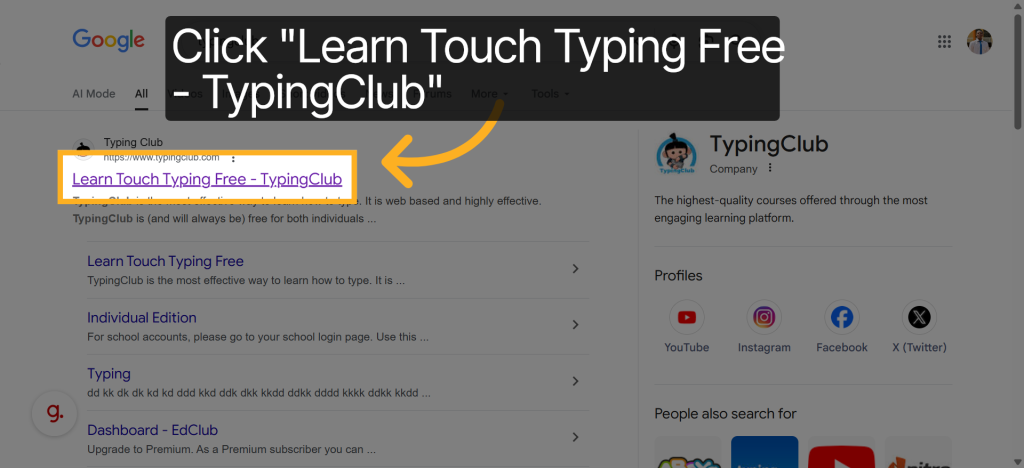
Step 1: Go to TypingClub.com
- Open your web browser and go to www.typingclub.com.
- You’ll see the homepage with options to Login or Start Typing.
Tip: Creating a free account is recommended so you can track your progress over time.
Step 2: Sign Up for a Free Account
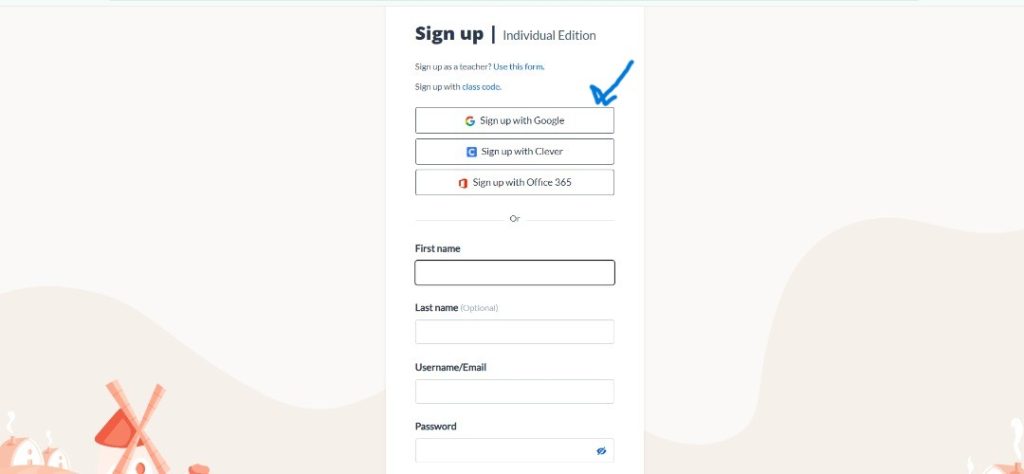
- Click Login at the top right corner.
- Enter your name, email address, and password.
- or Sign up with your Google Account
- Choose your user type (Student, Teacher, or Individual).
- Confirm your email if required.
Tip: Signing up allows you to save your progress, access more lessons, and see your improvement over time.
Step 3: Choose a Lesson
- After logging in, you’ll see the TypingClub dashboard.
- Click Start and select a lesson from the “Courses” tab.
- Start with Beginner lessons if you’re new
Tip: TypingClub’s lessons are designed to improve speed, accuracy, and muscle memory gradually don’t rush.

Step 4: Follow the Typing Exercises
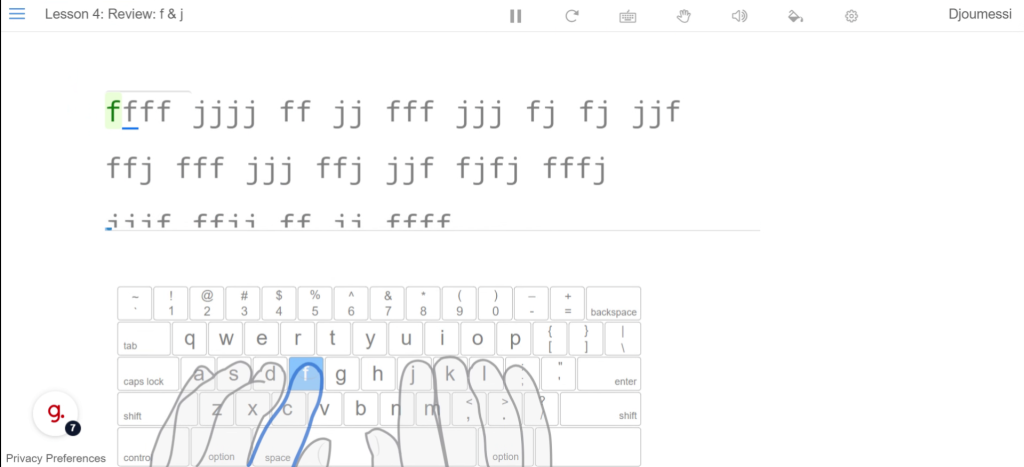
- Each lesson displays a series of letters, words, or sentences to type.
- Type as accurately and quickly as possible.
- The program will highlight mistakes and provide feedback.
Tip: Focus on accuracy first speed comes naturally with practice.
Step 5: Track Your Progress
- After each lesson, TypingClub shows your typing speed (words per minute) and accuracy percentage.
- Review your mistakes and practice them in the next lessons.
- Gradually increase the difficulty level as you improve.
Tip: Aim to complete 15–30 minutes of practice daily for noticeable improvement.
Step 6: Use TypingClub’s Games and Challenges
- TypingClub also includes fun typing games to make practice engaging.
- Use these games to test your skills and track progress in a fun way.
Tip: Games help reinforce skills under time pressure and make practice enjoyable.
Step 7: Practice Regularly
Consistency is key!
- Dedicate at least 15 minutes a day to typing practice.
- Revisit lessons where your accuracy was low.
- Challenge yourself with speed tests every week to measure improvement.
Tip: Gradual daily practice is more effective than long, infrequent sessions.
Final Thoughts
Improving your typing speed and accuracy takes time, patience, and consistent practice. TypingClub.com is an excellent free tool to help you achieve this — with structured lessons, progress tracking, and fun challenges to keep you motivated.
Start today, and you’ll notice a significant improvement in your typing efficiency — which will make studying, working, and communicating online much faster and easier.
Visit TypingClub.com to start your typing improvement journey today!
Improving your typing speed and accuracy is a valuable digital skill that boosts productivity, enhances communication, and prepares you for success in school, work, and everyday computer tasks. By practicing consistently and using free tools online, you can build confidence and become more efficient in the modern digital world.
For more resources, tutorials, and guidance on developing IT skills, explore www.simplifieditinstitute.org a nonprofit organization dedicated to bridging the digital gap. SIT offers education, mentorship, and digital literacy programs to empower students, professionals, and communities with the skills they need to succeed in today’s technology driven world.